Scope Visual Object Tracking Software /Functioning
Why ?
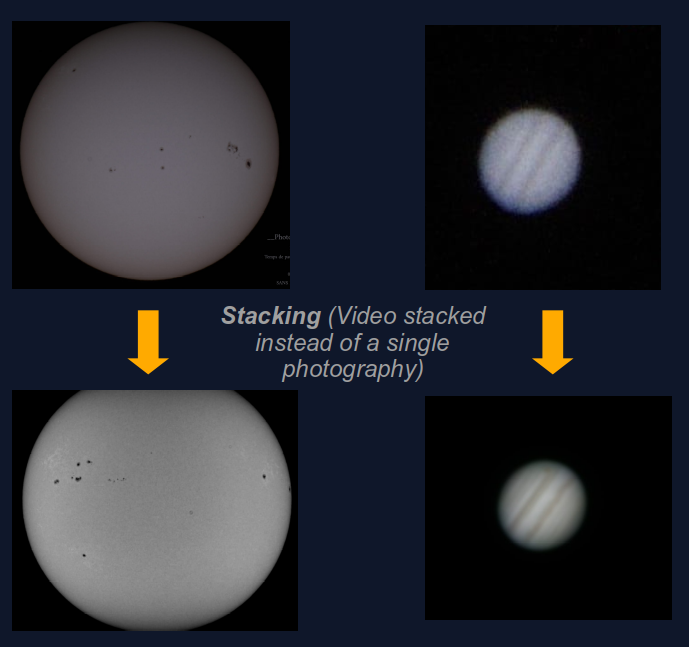
The big problem in astrophotography is the exposure time: too low and your image is dark, too high and you have hot pixels and seeing. In order to have the best of both, we use stacking. Instead of a single photograph, we take a video with thousands of images. Then, we stack them to reduce the noise and increase the signal. Here's a comparison of two images with and without stacking.
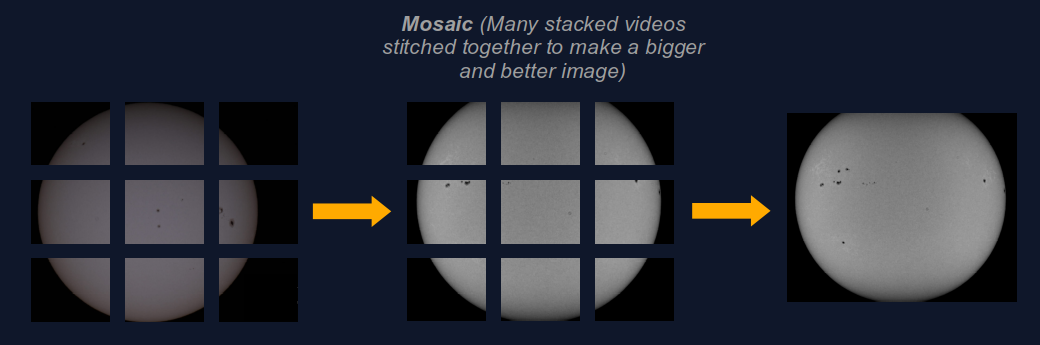
But for the Sun and the Moon, stacking alone isn't sufficient: with a hig focal, they are too big to fit in the the camera's field of view. That's why we use mosaics: we make a stacking of several parts of the object to stitch them together and have an entire image of it.
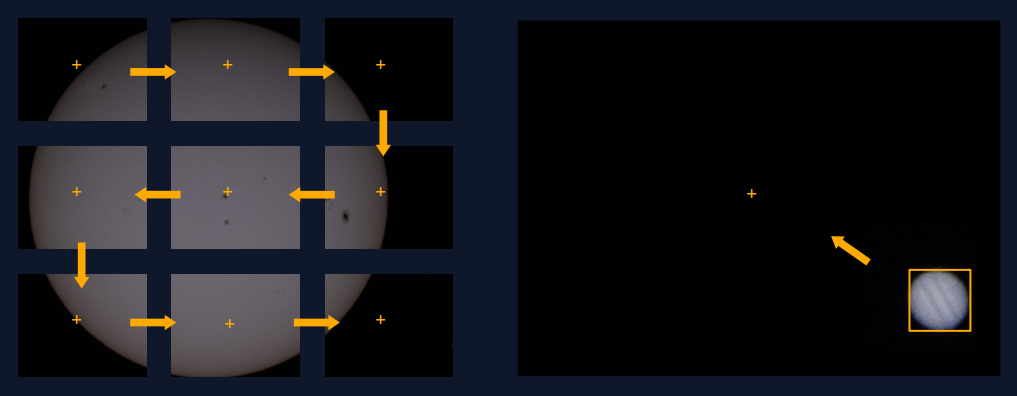
In both cases a video needs to keep the object centered and stationary, and for a mosaic we also have to scan it precisely. We could do it with a classic polar alignment, but it takes time and that's never perfect. Moreover, this does not solve the problem with our mosaic, since we still hate to scan it manually with the remote control.
How ?
That's why I started developing a Visual Object Tracking Software to visually track an object without any alignment. The program will download the live view from the camera, analyze it to find the center of the object, calculate the speed of the Earth's rotation and move the mount to bring the object back to the center again.
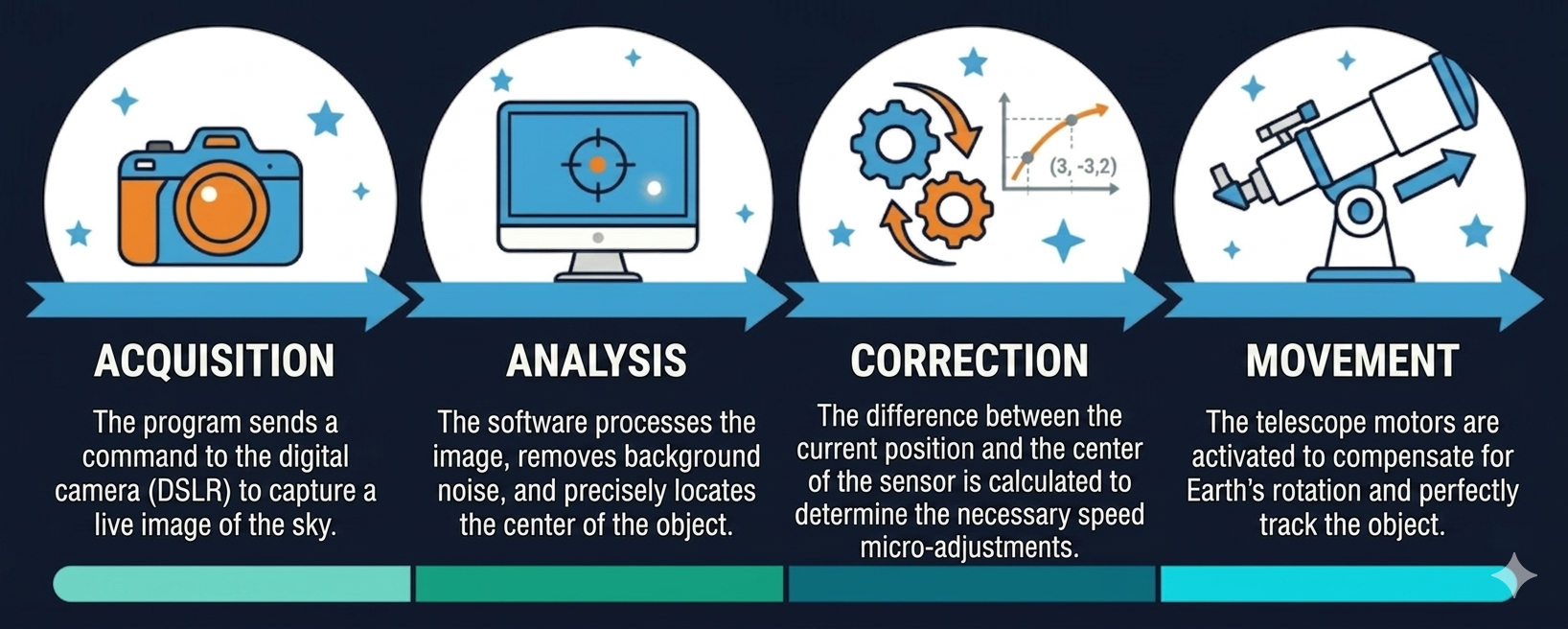
First, the calculate_correction() function measures the deviation between the current position of the object and the center of the sensor. That's the speed required to bring the object back to the center of the image, without taking into account the rotation of the Earth.
.webp)
Then, the calculate_speed() function determines the actual speed of movement of the object in the sky. By subtracting the influence of the previous correction from the observed displacement between two images, it isolates the natural drift due to the earth's rotation. This is the speed necessary to keep the object stationary.
.webp)
Finally, the software adds these two vectors:
- v_alt & v_az: Keep the object stationary
- c_alt & c_az: Moves it to the center
.webp)